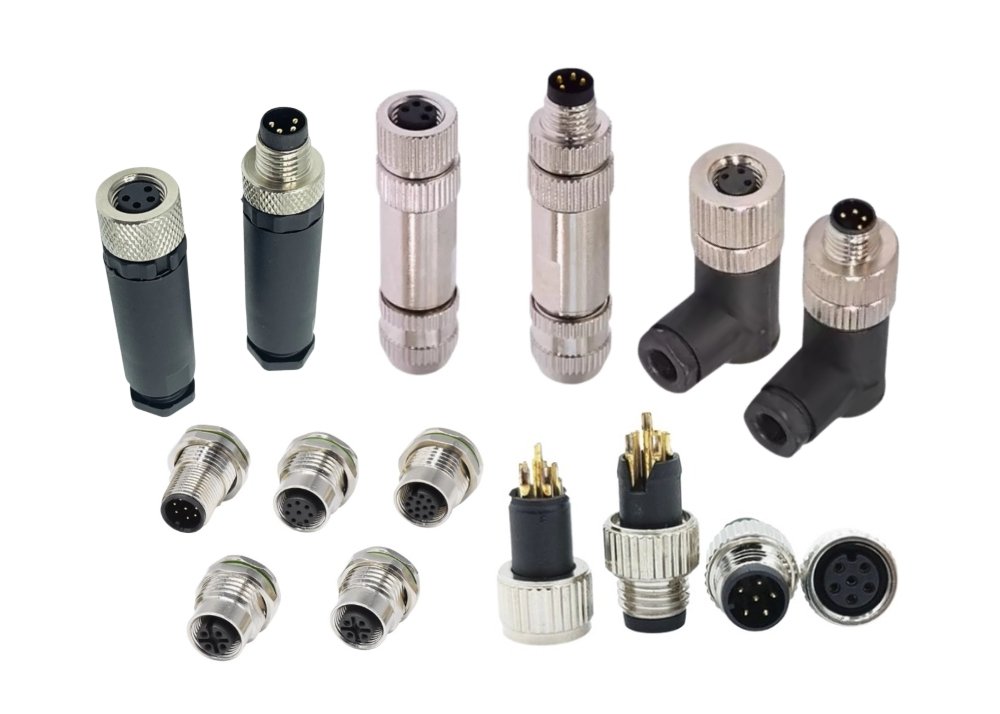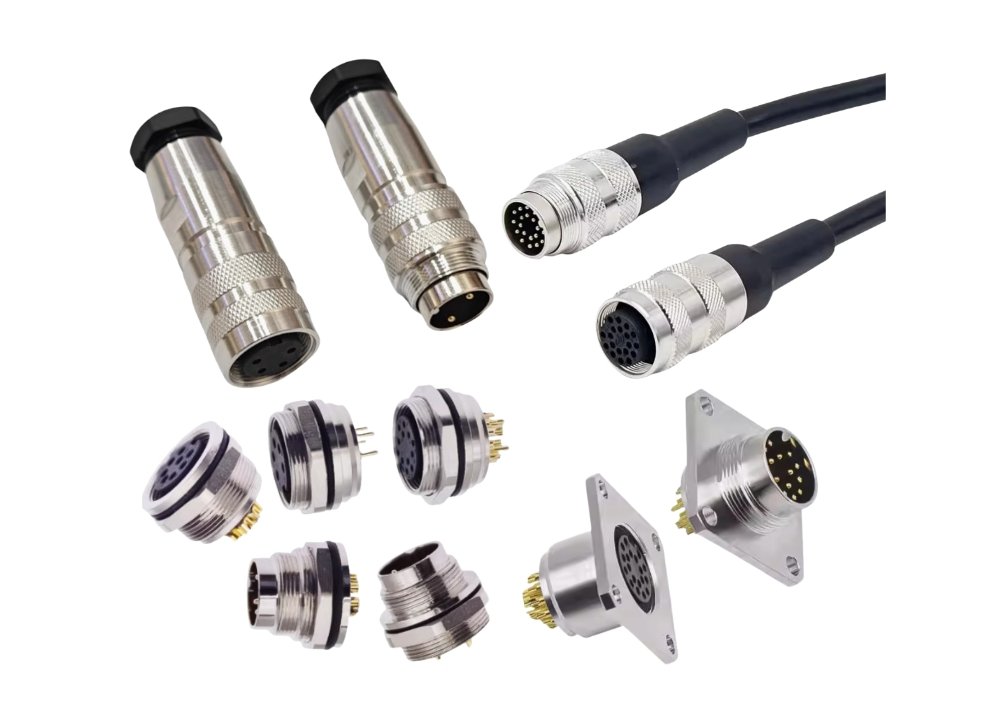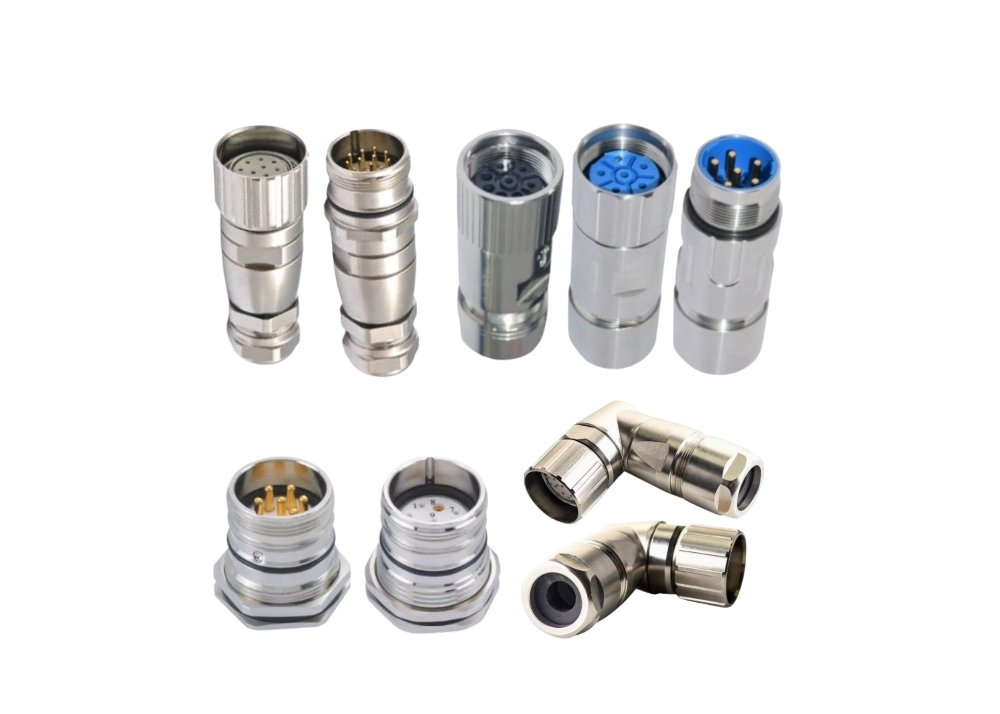

When you upgrade your network, certain RJ45 couplers stand out as must-haves for seamless connections. You need couplers that maintain signal strength and support various RJ45 cable types. Reliable couplers from a trusted connector factory improve your network’s efficiency. Choose quality RJ45 couplers to ensure durability and minimize connection issues. Specialty couplers such as M8 connector and Type B connector also play a role in specific network environments.
- Select couplers for optimal reliability and long-term performance.
- Look for couplers that match your network requirements and installation needs.
RJ45 Couplers: What They Are and Why Your Network Needs Them
Definition and Basic Function of RJ45 Couplers
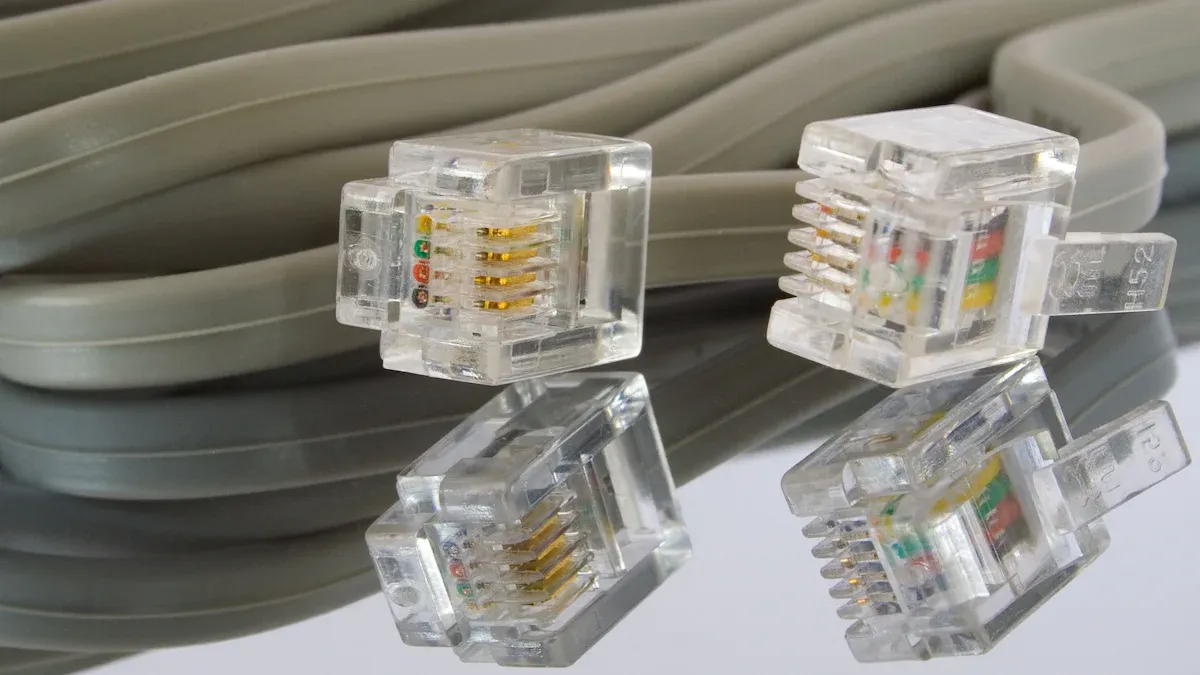
You encounter rj45 couplers whenever you need to join two ethernet cables. These small devices feature female-to-female ports, allowing you to connect two rj45 plugs and extend your network reach without replacing existing cables. The coupler acts as a bridge, maintaining the integrity of your ethernet signal. You find several types of rj45 couplers, including shielded, unshielded, waterproof, and keystone designs. Each type serves a specific purpose, whether you work indoors, outdoors, or in industrial environments. When you use high quality ethernet patch cords with compatible couplers, you ensure reliable data transmission across your network.
Key Benefits for Network Expansion with Ethernet Couplers
Industry experts highlight several advantages when you use ethernet couplers for network upgrades:
- You extend ethernet cables quickly, saving time and reducing installation costs.
- Shielded couplers protect your network from electromagnetic interference, preserving signal quality.
- Waterproof couplers support outdoor installations, giving you flexibility in harsh environments.
- Carefully designed couplers prevent Alien Crosstalk (ANEXT), improving signal integrity at connection points.
- You can match couplers to your cable category, ensuring compatibility and optimal performance.
- Experts recommend using high-quality, highest category rated couplers for backward compatibility.
- You benefit from quick, flexible, or temporary network setups, such as mobile LANs or outdoor events.
Tip: Limit the number of couplers in your network. For Cat5e or Cat6 cables at 2.5Gb/s or 5Gb/s, use no more than three couplers. For Cat6A at 10Gb/s, use no more than two. This practice helps you avoid data transmission issues.
Common Use Cases for RJ45 in Network Setups
You rely on rj45 couplers in many scenarios:
| Use Case | Description |
|---|---|
| Office Expansion | Connect additional workstations by joining ethernet cables. |
| Home Networking | Extend ethernet cables to reach new rooms or devices. |
| Temporary Installations | Set up mobile LANs for events or conferences using couplers for flexibility. |
| Outdoor Networks | Use waterproof couplers to link ethernet cables in outdoor environments. |
| Industrial Settings | Deploy rugged couplers for reliable connections in factories or warehouses. |
You often choose couplers when you need a fast solution for extending cable runs or adapting to changing network requirements. The right coupler helps you maintain strong connections and supports the performance of your ethernet cables.
Top RJ45 Couplers for Network Upgrades
Best Overall RJ45 Coupler for Home and Office Networks
Features of the Best Overall Coupler
When you upgrade your home or office network, you want a coupler that delivers both reliability and simplicity. The CAT6 Keystone RJ45 Coupler stands out as a top choice. This coupler supports unshielded CAT6 applications and allows you to extend Ethernet connections by joining two patch cables. Its female-to-female design makes it easy to connect cables without special tools. You can fit this coupler into standard keystone wall plates, which gives your installation a clean, professional appearance. The coupler supports Gigabit Ethernet speeds up to 1Gbps, making it suitable for most home and office environments. Its compact size helps you manage cables neatly, even in tight spaces.
Pros and Cons for Network Performance
You benefit from several advantages when you use this type of coupler:
- Tool-free installation saves you time and effort.
- The coupler supports high-speed Ethernet, maintaining strong network performance.
- Its design allows for quick replacement of faulty jacks, reducing downtime.
- You can use it for both temporary and flexible network extensions.
However, you should consider a few limitations:
- Keystone couplers work best for temporary or flexible setups. For permanent, structured cabling, Ethernet keystone jacks provide more robust connections.
- The coupler supports speeds up to 1Gbps, which may not meet the needs of advanced Cat6a 10Gb/s cable channel segment installations.
Note: Network professionals frequently recommend CAT6 keystone RJ45 couplers for home and office upgrades because they combine ease of use with reliable performance.
Ideal Applications for Ethernet Couplers
You will find these couplers ideal for:
- Extending Ethernet connections in home offices or small businesses.
- Quick network expansions during office moves or renovations.
- Temporary setups for events or training rooms.
- Replacing damaged wall jacks without rewiring.
Customer satisfaction ratings for these couplers remain high, often above 4.5 out of 5. Users appreciate their performance, reliability, and ease of installation.
Best Shielded RJ45 Coupler for Interference Protection
Features of Shielded Couplers
If you work in environments with high electromagnetic interference (EMI), you need shielded couplers to protect your network. These couplers feature heavy-duty shielding and gold-plated contact pins, which enhance conductivity and reduce signal loss. Many shielded RJ45 couplers include waterproof gaskets and silicon grommets, providing protection against dust and moisture. Some models offer vibration dampening and stress relief, which help maintain connection integrity in harsh conditions. You can use shielded couplers rated for Cat6 or Cat6a cables to support high bandwidth and stable data transmission.
Pros and Cons in High-EMI Environments
Shielded couplers deliver significant benefits in challenging environments:
- They minimize EMI, preserving signal quality and reducing bit errors.
- Waterproof and dustproof designs ensure reliable operation outdoors or in industrial settings.
- Properly terminated shielded couplers can reduce EMI-induced bit errors by up to 63%.
- EMI rejection improves by 15-20 dB compared to unshielded couplers.
However, you should note:
- Installation requires careful grounding to achieve full EMI protection.
- Shielded couplers may cost more than unshielded options.
- Bulkier designs can make installation in tight spaces more challenging.
| Test Parameter | Result / Requirement | Significance for Shielded RJ45 Couplers in High-EMI Environments |
|---|---|---|
| EMI-induced Bit Error Reduction | Up to 63% reduction with proper shield termination | Significant error rate improvement in noisy environments |
| EMI Rejection Improvement | 15-20 dB better than unshielded equivalents | Enhanced EMI suppression capability |
| Shield-to-Ground Resistance | Must be below 2.5 milliohms | Ensures effective grounding and EMI suppression |
| Insertion Loss | Linear across frequency, no sudden spikes | Validates signal integrity and connector quality |
| Return Loss | Above 20 dB at 100 MHz for Category 6 | Good impedance matching, prevents signal reflections |
| Near-End Crosstalk (NEXT) | Within TIA-568 Category specifications | Measures crosstalk, critical for signal clarity |
| Time-Domain Reflectometry (TDR) | Detects impedance discontinuities within 5 cm of termination | Identifies reflection points causing errors |
Ideal Applications for Shielded Network Couplers
You should use shielded RJ45 female to female couplers in:
- Industrial facilities with heavy machinery.
- Outdoor network installations exposed to weather and EMI.
- Data centers where signal integrity is critical.
- Any environment where you must protect Ethernet connections from interference.
Tip: Always ensure proper grounding when installing shielded couplers to maximize EMI protection and maintain network performance.
Best RJ45 Coupler for High-Speed Ethernet (Cat6/Cat7/Cat8)
Features for High-Speed Network Expansion
When your network demands top speeds, you need couplers that support advanced Ethernet standards. High-speed RJ45 couplers for Cat6, Cat7, and Cat8 cables feature precision-engineered contacts and robust internal wiring. These couplers maintain signal integrity at Gigabit and 10G speeds. You can use them to extend cable runs in high-performance environments without sacrificing network performance. Many high-speed couplers also offer backward compatibility, so you can connect lower-category cables if needed.
Pros and Cons for Gigabit and 10G Networks
You gain several advantages with high-speed couplers:
- Support for Cat6a 10Gb/s cable channel segment ensures future-proofing.
- Minimal insertion loss preserves signal strength at high frequencies.
- Backward compatibility allows flexible network upgrades.
Potential drawbacks include:
- Higher cost compared to standard couplers.
- Installation may require careful alignment to avoid signal degradation.
- Not all high-speed couplers are suitable for outdoor or industrial use.
Ideal Applications for High-Speed RJ45 Couplers
You should choose these couplers for:
- Data centers and server rooms requiring maximum bandwidth.
- Upgrading office networks to support Gigabit or 10G Ethernet.
- Home networks with demanding streaming or gaming needs.
- Any scenario where you must maintain high network performance across extended cable runs.
Note: Always match your coupler to the highest cable category in your network to ensure optimal performance and reliability.
Best Budget-Friendly RJ45 Coupler for Cost-Effective Network Solutions
Features of Affordable Ethernet Couplers
You often look for rj45 couplers that balance price and performance when upgrading basic network setups. Affordable ethernet couplers, such as the StarTech.com Cat5e RJ45 Modular Inline Coupler, provide a practical solution for extending cables in offices, classrooms, and server rooms. These couplers come in bulk packs, which reduces your overall cost per unit. You benefit from a simple plug-and-play design, so you do not need any tools for installation. The coupler supports Cat5e cables and delivers speeds up to 1 Gbps, which meets the requirements of most standard ethernet connections.
| Feature/Aspect | Details/Notes |
|---|---|
| Product | StarTech.com Cat5e RJ45 Modular Inline Coupler – 10 Pack |
| Cost-effectiveness | Affordable option, especially in bulk (10-pack) |
| Durability | Designed for frequent use, durable |
| Ease of Use | Simple plug-and-play setup, no tools required |
| Compatibility | Works specifically with Cat5e cables |
| Signal Impact | Does not amplify signals; may cause slight signal degradation if not properly connected |
| Ideal Use Cases | Extending Cat5e cables in offices, schools, classrooms, server rooms |
| Warranty | Lifetime limited warranty |
| Limitations | No signal boosting; limited to Cat5e; requires careful connection to avoid performance loss |
| Bottom Line | Good balance of cost and performance for basic network needs |
You should choose unshielded rj45 couplers for home and standard office environments. These couplers offer sufficient performance at a lower cost. Shielded couplers are only necessary in high-interference areas, such as industrial settings.
Pros and Cons for Basic Network Needs
You gain several advantages when you use budget-friendly rj45 couplers:
- You save money by purchasing couplers in bulk.
- You install them quickly without special tools.
- You extend ethernet cables for basic network expansion.
However, you need to consider some limitations:
- These couplers only support Cat5e cables, so you cannot use them for higher-speed Cat6 or Cat7 networks.
- You may experience slight signal degradation if you do not connect the coupler properly.
- You do not get signal boosting features, so you must keep cable runs within recommended lengths.
Tip: Always check that your rj45 inline coupler matches the cable category in your network. Mixing categories limits your speed to the lowest-rated component.
Ideal Applications for Budget Couplers
You find budget rj45 couplers most useful in:
- School computer labs where you need to extend ethernet connections.
- Small offices with basic networking requirements.
- Server rooms that require quick cable extensions for temporary setups.
- Home networks where cost is a priority and Cat5e speeds are sufficient.
You should select these couplers when you want a cost-effective solution for simple ethernet expansions.
Best Outdoor and Industrial RJ45 Coupler for Rugged Network Environments
Features of Waterproof and Durable Couplers
You need rj45 couplers with advanced protection when you install ethernet connections outdoors or in industrial environments. Waterproof couplers, such as the Cat6 Waterproof Coupler (M232-2P-OL) and Short-body IP68 Waterproof RJ45 Coupler, feature rugged housings made from ABS or nylon. These materials resist impacts and harsh weather. The coupler’s cylindrical design, waterproof gaskets, and silicon rubber grommets create a tight seal around cables, preventing water and dust ingress. Gold-plated contact pins inside the coupler enhance conductivity and reduce signal loss, supporting reliable network performance over time.
| Product Model | Description | Designed For | Certification | Pack Quantity | Price (USD) |
|---|---|---|---|---|---|
| Cat6 Waterproof Coupler (M232-2P-OL) | Waterproof RJ45 coupler, standard size | Outdoor & Industrial | IP68 | 2 pcs/pack | $10.59 |
| Short-body Waterproof Cat6 Coupler (M235-2P-OL) | Compact waterproof RJ45 coupler | Outdoor & Industrial | IP68 | 2 pcs/pack | $10.49 |
| Short-body IP68 Waterproof RJ45 Coupler Female to Female (M220-1P-OL) | Female to female waterproof coupler | Outdoor & Industrial | IP68 | 2 pcs/pack | $4.89 |
| IP68 Blank Waterproof Coupler (M234-1P-OL) | Blank waterproof coupler | Outdoor & Industrial | IP68 | 1 pcs/pack | $4.49 |
| Short-body IP68 Outdoor Cat6a Coupler | Waterproof Cat6a coupler, short-body | Outdoor & Industrial | IP68 | 1 pcs/pack | $5.49 |
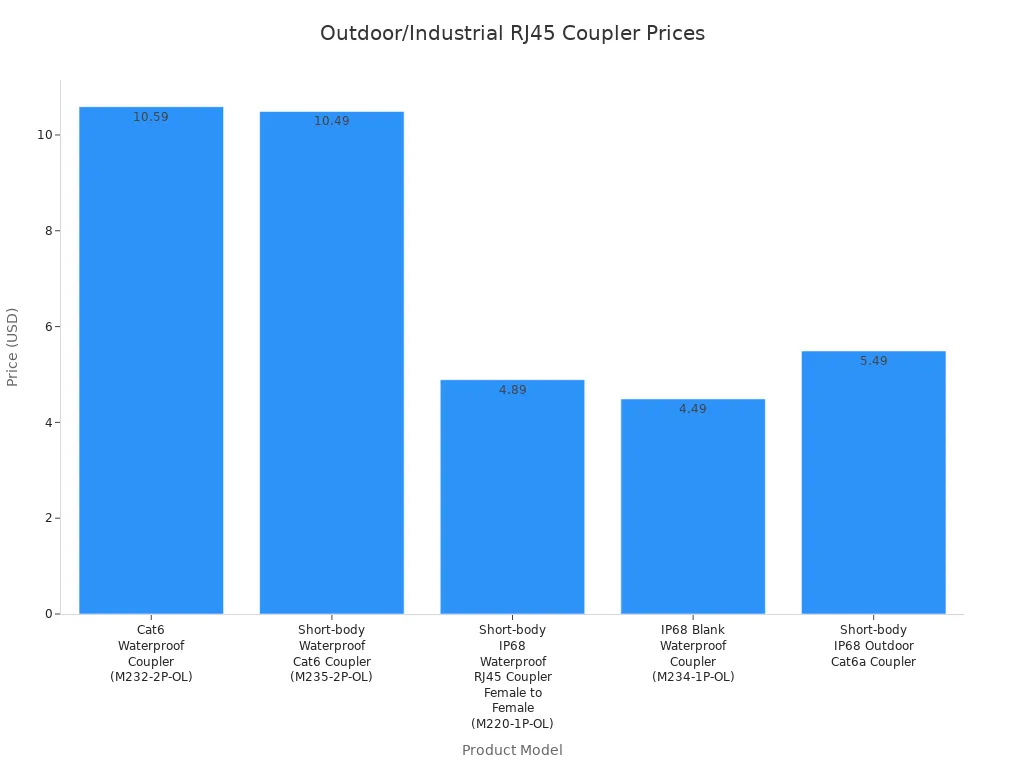
You should look for couplers with IP68 certification for the highest level of protection. These couplers withstand prolonged water submersion and block dust completely. Screw-lock mechanisms and latching clips secure the connection, preventing accidental disconnections.
Pros and Cons for Outdoor Network Installations
You benefit from several features when you use outdoor and industrial rj45 couplers:
- You get full protection against dust and water, even in extreme conditions.
- You maintain reliable ethernet connections for outdoor surveillance and industrial automation.
- You reduce signal loss with gold-plated contacts and tight seals.
You should consider these drawbacks:
- Waterproof couplers cost more than standard indoor models.
- Installation may require more time due to sealing and securing steps.
- Bulkier designs may not fit in tight spaces.
Note: Always select couplers with IP68 ratings for outdoor or industrial network installations. This ensures long-term reliability and environmental protection.
Ideal Applications for Industrial Ethernet Couplers
You use rugged rj45 couplers in:
- Outdoor surveillance systems that require weatherproof ethernet connections.
- Industrial automation setups exposed to dust, moisture, and vibration.
- Marine applications where water resistance is critical.
- Construction sites with frequent cable movement and harsh conditions.
You should choose these couplers when you need maximum durability and environmental sealing for your network.
Specialty RJ45 Couplers and Honorable Mentions
Features of Keystone and Inline Couplers
You encounter specialty rj45 couplers, such as rj45 keystone coupler and rj45 inline coupler, in structured cabling and quick extension scenarios. Keystone couplers fit into standard keystone wall plates and patch panels, giving you modularity and easy installation. You do not need extra adapters. Inline couplers connect two ethernet cables end-to-end, allowing you to extend cable runs without rewiring. Both types support Cat5e and Cat6 cables, but you must match the coupler and cable categories for optimal performance.
- Keystone couplers provide universal fit and modular design for structured network setups.
- Inline couplers offer straightforward cable extension for temporary or flexible installations.
- Both types can support Power over Ethernet (PoE) if rated accordingly.
Pros and Cons for Structured Cabling
You gain several advantages with specialty rj45 couplers:
- Keystone couplers simplify network reconfiguration and maintenance.
- Inline couplers allow quick cable extensions without major changes.
- Both types support standard ethernet speeds when properly matched.
You should watch for these issues:
- Mixing cable and coupler categories limits your network speed to the lowest-rated component.
- Inline couplers require careful installation to avoid performance loss.
- Keystone couplers work best in modular setups, not for permanent cable runs.
Tip: Always test your network after installing inline couplers or keystone couplers. Proper wire pairing and minimal untwisting help maintain signal quality.
Ideal Applications for Specialty Network Couplers
You use specialty rj45 couplers in:
- Structured cabling systems in offices and data centers.
- Quick cable extensions for temporary setups or troubleshooting.
- Modular wall plate installations for flexible network access points.
- Maintenance scenarios where you need to reconfigure ethernet connections rapidly.
You should select rj45 keystone coupler for modular network setups and rj45 inline coupler for fast cable extensions.
How to Choose the Right RJ45 Coupler for Your Network
Cable Compatibility: Cat5e, Cat6, Cat7, and Cat8 Ethernet Couplers
Selecting the right rj45 coupler starts with understanding cable compatibility. You need to match the coupler’s category rating to your ethernet cables. For example, if you use Cat6 ethernet cables, choose a Cat6-rated rj45 coupler. This ensures your network performance meets expectations and avoids bottlenecks. Always use the highest category rated coupler available for backward compatibility. This approach allows you to connect Cat5e, Cat6, Cat7, or Cat8 cables without sacrificing speed or reliability.
When you connect shielded ethernet cables, select shielded couplers. Unshielded cables can work with shielded couplers, but not the other way around. Couplers contain PCBs and shielding to reduce alien crosstalk, which becomes critical at higher categories. You should also limit the number of couplers in a single cable run. For Cat5e or Cat6, use no more than three couplers per channel. For Cat6A or higher, restrict to two. If you are unsure about coupler quality, use only one per segment to maintain network performance.
Tip: Professional installers sometimes avoid couplers entirely due to strict contract requirements. For home and small business networks, following compatibility guidelines helps you achieve reliable results.
Compatibility Checklist:
- Match the coupler category to your ethernet cable.
- Use shielded couplers with shielded cables.
- Choose the highest category coupler for backward compatibility.
- Limit the number of couplers per cable run.
Shielding and Interference Protection in RJ45 Couplers
Shielding plays a vital role in protecting your network from electromagnetic interference. You should choose shielded rj45 couplers when your ethernet cables run near electrical equipment or in industrial environments. Shielded couplers work with shielded cables to block external noise and preserve signal integrity. This protection becomes essential for Cat6, Cat7, and Cat8 ethernet cables, where high data rates make the network more sensitive to interference.
Unshielded couplers suit most home and office environments. However, if you want to future-proof your network, shielded couplers offer extra reliability. Always ensure proper grounding when installing shielded couplers. This step maximizes their effectiveness and helps maintain consistent network performance.
Durability and Build Quality for Long-Lasting Network Performance
You want your rj45 coupler to last as long as your ethernet cables. High-quality couplers use robust materials and precise construction methods. Inside each coupler, you find a printed circuit board (PCB) similar to those in keystone jacks. This PCB ensures signal integrity and durability. Manufacturers test these components rigorously, including PCB testing and category-specific performance checks.
For outdoor or industrial use, select waterproof rj45 couplers. These models feature rugged housings and seals that protect against dust and moisture. Factory pre-terminated patch cables with stranded pure copper conductors (26AWG) further enhance reliability. Carefully designed PCBs and shielding prevent alien crosstalk, which can degrade network performance over time.
Note: Investing in quality couplers and cables pays off with fewer connection issues and longer-lasting network performance.
Installation Environment: Indoor vs. Outdoor Coupler Selection
You must select the right coupler for your installation environment to ensure network reliability. Indoor and outdoor couplers look similar, but their construction and performance differ significantly. Indoor couplers work well in offices, homes, and classrooms. These couplers use standard plastic materials and lack advanced sealing. You should use indoor couplers only where you do not expect exposure to moisture, dust, or extreme temperatures.
Outdoor couplers provide robust protection for harsh environments. Manufacturers use durable materials like ABS or nylon for these couplers. You will find gold-plated contact pins inside, which improve electrical conductivity and reduce signal loss. Outdoor couplers feature silicon rubber grommets and waterproof gaskets. These components create a tight seal, keeping water and dust out. Most outdoor couplers meet or exceed IP67 or IP68 standards, so you can trust them in rain, snow, or dusty conditions.
Both indoor and outdoor couplers support high network speeds. Cat6 couplers handle up to 1Gbps, while Cat6a couplers reach 10Gbps. However, only outdoor couplers undergo strict testing for shielded and unshielded cables and Power over Ethernet (PoE) compatibility in adverse conditions. Indoor couplers do not offer this level of protection or testing.
Tip: Always choose outdoor couplers for installations in gardens, warehouses, or industrial sites. Indoor couplers cannot withstand environmental stress and may fail quickly if exposed to water or dust.
Here is a comparison to help you decide:
| Feature/Aspect | Indoor RJ45 Couplers | Outdoor (Waterproof) RJ45 Couplers |
|---|---|---|
| Environmental Resistance | Not designed for water, dust, or corrosion | Designed to withstand water, dust, corrosion; meet/exceed IP67 or IP68 standards |
| Housing Material | Standard plastic or less robust materials | Robust materials like ABS or nylon with silicon rubber grommets and waterproof caps |
| Sealing Mechanism | None or minimal | Waterproof gaskets, rubber grommets, and screw-tightened end caps for excellent sealing |
| Network Speed & Bandwidth | Supports Cat6 (1Gbps, 250MHz) and Cat6a (10Gbps, 500MHz) | Same support for Cat6 and Cat6a speeds and bandwidths |
| Cable Compatibility | Typically for unshielded cables | Tested for shielded and unshielded cables |
| PoE Compatibility | Not specifically tested for harsh conditions | Strictly tested for PoE device compatibility under adverse conditions |
| Suitability | Indoor use only; exposure to moisture/dust degrades performance | Suitable for outdoor use, stable data transmission in harsh environments |
You should always match the coupler to your installation environment. This choice protects your network investment and ensures long-term reliability.
Brand Reputation, Warranty, and Support for Network Reliability
You want to invest in couplers from brands that network professionals trust. Brand reputation signals quality and reliability. When you choose a coupler from a reputable manufacturer, you reduce the risk of connection failures and downtime. Trusted brands also offer strong warranty terms and customer support, which protect your network over time.
The following table highlights some of the most respected brands and their warranty offerings:
| Brand | Warranty Terms | Additional Services/Notes |
|---|---|---|
| StarTech.com | Lifetime limited warranty | 30-day hassle-free return policy; accidental damage protection available for purchase |
| Belden | Not specified in detail | Mentioned as trusted brand |
| Unirise | Not specified in detail | Mentioned as trusted brand |
StarTech.com stands out with a lifetime limited warranty and a 30-day return policy. You can also purchase accidental damage protection for extra peace of mind. Belden and Unirise have earned trust in the industry, even though their warranty details are less publicized.
Note: Always review warranty terms before purchasing a coupler. Reliable brands back their products with strong support, which helps you maintain network uptime and performance.
You should prioritize couplers from brands with proven reliability and responsive support. This approach ensures your network remains stable and protected against unexpected issues.
Step-by-Step Guide to Installing RJ45 Couplers
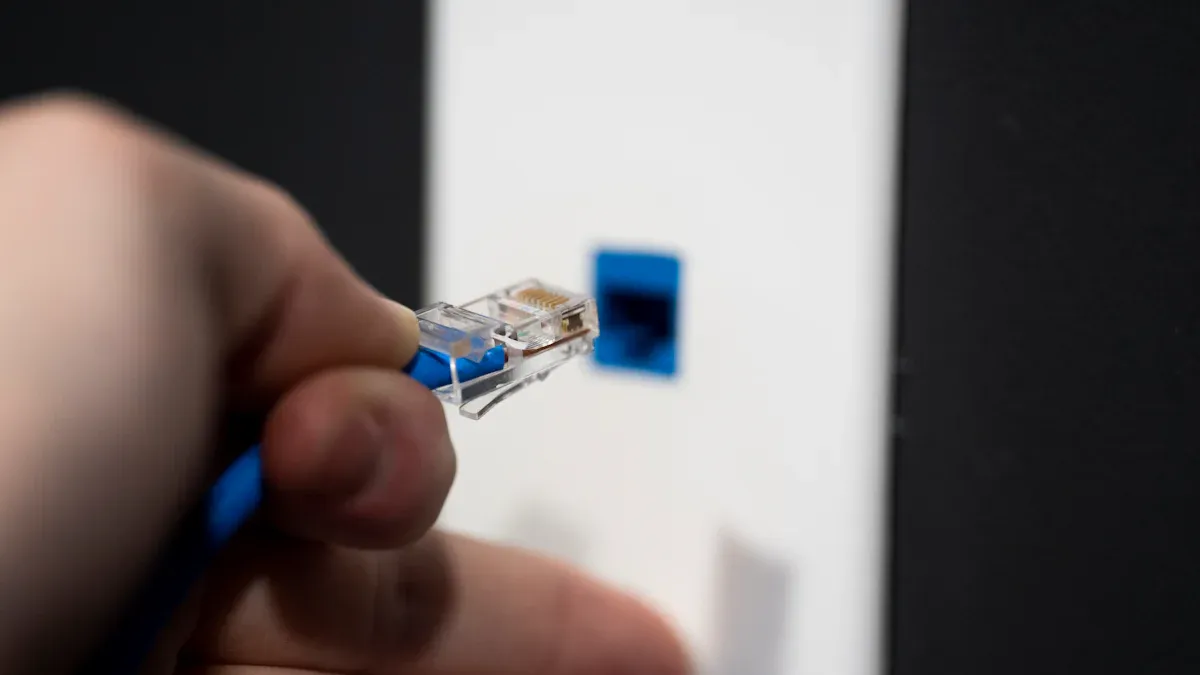
Tools and Materials Needed for Ethernet Coupler Installation
A successful RJ45 coupler installation starts with the right tools and materials. You ensure a reliable connection by preparing everything before you begin. Here is a checklist to guide your setup:
- Cable stripper – Use this tool to remove the outer jacket from Ethernet cables without damaging the wires inside.
- Crimping tool – This tool secures RJ45 connectors to the cable ends, ensuring a firm and reliable fit.
- RJ45 connector kit – High-quality connectors help maintain signal integrity and reduce connection issues.
- RJ45 couplers – Choose couplers that match your cable category and installation environment.
- Cable tester – Test your connections to verify proper termination and network performance.
- Strain relief boots – These protect the cable from bending or pulling, which helps maintain a stable connection.
- Cable management supplies – Use cable ties or clips to organize cables and prevent tangling.
Tip: High-quality tools and connectors make your installation smoother and more reliable. Investing in good equipment pays off with fewer network problems.
Preparing Network Cables for RJ45 Coupler Connection
Proper cable preparation ensures your RJ45 coupler installation delivers optimal performance. You should follow these steps for best results:
- Plan your network layout. Decide where devices will connect and map out cable routes. Centralize your router or switch for efficient coverage.
- Select the right Ethernet cables. Choose Cat5e, Cat6, or Cat6a based on your speed and distance requirements.
- Install cables by drilling access points and running them through walls or ceilings. Secure cables with clips to prevent damage.
- Strip the outer jacket from each cable using a cable stripper. Take care not to nick or cut the internal wires.
- Arrange the wires according to the T568A or T568B wiring standard. Untwist pairs only as much as necessary to maintain signal quality.
- Attach RJ45 connectors to the cable ends. Use a crimping tool to secure the connectors and apply strain relief boots.
- Test each cable with a cable tester. Confirm that all wires connect correctly and that the signal remains strong.
Note: Careful preparation reduces the risk of signal loss and ensures your couplers work as intended.
Connecting the RJ45 Coupler Securely
You can now connect your cables using the RJ45 coupler. Follow this step-by-step installation guide for a secure and reliable connection:
- Inspect both cable ends and the coupler for any visible damage or debris.
- Insert the first RJ45 connector into one side of the coupler. Push firmly until you hear or feel a click.
- Insert the second RJ45 connector into the opposite side of the coupler. Ensure both connections are tight and secure.
- Gently tug each cable to confirm the connectors lock in place and do not slip out.
- Use a cable tester to check the connection through the coupler. Verify that all pins transmit data correctly.
- Organize cables with ties or clips to prevent strain on the coupler and connectors.
Following this step-by-step installation guide helps you avoid common mistakes and ensures your network remains stable.
You now have a reliable connection using RJ45 couplers. Proper installation and preparation keep your network running smoothly and support future upgrades.
Testing the Network Connection After Installation
After you complete the installation of your coupler, you need to verify that your network connection works as expected. Start by connecting your devices and powering them on. Use a cable tester to check each cable segment that passes through the coupler. The tester will show you if all wires connect correctly and if the signal passes without interruption.
If you do not have a cable tester, you can use your computer or network device to check connectivity. Plug your Ethernet cable into the device and observe the network status indicator. A solid green or blinking light usually means the connection is active. You can also run a simple ping test from your computer to confirm data transmission.
Tip: Always test both ends of the cable after installing the coupler. This step helps you catch any wiring errors or loose connections early.
If you notice slow speeds or dropped connections, inspect the coupler and cables. Reseat the connectors and test again. Reliable couplers should not cause significant signal loss or network issues.
Tips for a Secure and Reliable RJ45 Coupler Installation
You want your network to remain stable and efficient. Follow these tips to ensure your coupler installation delivers the best results:
- Choose couplers that match your cable category and environment.
- Insert each cable fully into the coupler until you hear a click.
- Avoid bending cables sharply near the coupler. Use cable management clips to reduce strain.
- Limit the number of couplers in a single cable run. Too many couplers can weaken the signal.
- Use shielded couplers in areas with high electromagnetic interference.
- For outdoor installations, select waterproof couplers with proper sealing.
- Test your network after every installation to confirm performance.
| Tip | Why It Matters |
|---|---|
| Match coupler to cable | Prevents speed bottlenecks |
| Use shielded couplers | Reduces interference |
| Limit couplers per run | Maintains signal strength |
| Test after installation | Ensures reliable connection |
Note: Proper installation and quality couplers extend the life of your network and reduce troubleshooting time.
Common Mistakes to Avoid with Ethernet Couplers
You can prevent many network problems by avoiding these common mistakes during coupler installation:
- Using the wrong coupler for your cable type. Always match the coupler to the highest category cable in your network.
- Overusing couplers in a single cable run. Too many couplers can cause signal loss and reduce network speed.
- Failing to seat connectors fully into the coupler. Loose connections lead to intermittent network issues.
- Ignoring the need for shielded couplers in high-interference environments. Unshielded couplers may allow noise to disrupt your signal.
- Skipping network testing after installation. Unchecked connections can hide wiring errors or faulty couplers.
- Using indoor couplers for outdoor installations. Only waterproof couplers protect against moisture and dust.
- Mixing cable categories. The network will operate at the speed of the lowest-rated component, including the coupler.
Callout: Take your time during installation. Careful selection and testing of couplers prevent most network headaches.
By following these guidelines, you ensure your coupler installation supports a fast, stable, and long-lasting network.
Impact of RJ45 Couplers on Network Performance and Expansion
Signal Loss and Data Speed with Ethernet Couplers
When you add an RJ45 coupler to your network, you might wonder about its effect on network performance. A high-quality coupler acts as a passive device, so it does not reduce your network speed if you match the coupler to your cable category. You maintain the same bandwidth as a direct cable connection, and the insertion loss remains very minimal. However, you should remember that the total link length for Ethernet cables, including any couplers, must not exceed 100 meters. The coupler itself does not extend this limit.
Here is a quick comparison to help you understand the effect on network performance:
| Metric | Direct Cable | With One Coupler |
|---|---|---|
| Bandwidth Support | Up to cable/category rating | Maintains same bandwidth if coupler matches cable category |
| Insertion Loss | Standard per cable spec | Very minimal additional loss |
| Total Link Length | Up to 100 meters (Cat5e/Cat6) | Still limited to 100 meters total (coupler does not extend length) |
| Speed Impact | None | None if cable and coupler specs are met |
You only risk signal degradation or speed reduction if you use a poor-quality coupler, mismatch the cable and coupler categories, or exceed the recommended cable length. For best results, use one or two couplers per run and always match the coupler to your Ethernet cables. This approach ensures improved signal integrity and keeps your network running at top speed.
Tip: Excessive couplers or low-quality products can introduce failures or bottlenecks, but a single good coupler causes negligible signal loss.
Compatibility with Different Cable Categories in Network Setups
You need to pay close attention to compatibility with different cables when selecting RJ45 couplers. If you use a coupler that does not match or exceed your Ethernet cable category, you risk limiting your network performance. Always choose a coupler rated for the highest cable category in your setup.
- RJ45 couplers must match or exceed the Ethernet cable category to maintain performance.
- Shielded cables require shielded couplers to prevent interference.
- IDC couplers (splice boxes) often do not support higher bandwidths like 5GBASE-T or 10GBASE-T, so avoid them for Cat6A or higher.
- Alien crosstalk can degrade signal quality at the coupler, especially with IDC types.
- Inline and keystone couplers join pre-terminated patch cables and come in shielded and unshielded versions. Always match these to your cable type.
- Using multiple couplers in a single channel can degrade performance, especially at higher speeds.
- High-quality, category-rated couplers and minimizing the number of couplers help you avoid data transmission issues.
You ensure compatibility with different cables by following these guidelines. This practice protects your network from unexpected slowdowns and maintains reliable signal transmission.
Troubleshooting Connection Issues with RJ45 Couplers
If you experience network problems after installing an RJ45 coupler, you can follow a systematic troubleshooting process. Start by checking for physical damage on your Ethernet cables and connectors. Look for frays, cuts, or bent pins. Next, test the connection by swapping ports on your router or switch. This step helps you rule out port issues.
Try connecting the cable to another device. If the problem persists, replace the suspected faulty cable with a known working one. Make sure each Ethernet cable clicks securely into the coupler. Use a cable tester to check for wiring faults or connector issues. The tester’s LED indicators will show if there is a misalignment or an unlit signal.
Check your device’s network settings to confirm the Ethernet connection is enabled. Update your network adapter drivers if needed. Restart your computer, router, or modem to reset the connection. If you still have issues, consider replacing damaged cables or connectors, repositioning cables to avoid interference, or upgrading to higher-category cables.
Callout: Careful inspection and step-by-step troubleshooting help you quickly resolve most connection issues with RJ45 couplers.
When to Use a Coupler vs. Replacing Network Cables
You often face the decision of whether to use an RJ45 coupler or replace your network cables. Making the right choice ensures your network remains reliable and efficient. Both options have their place, but understanding when to use each can save you time, money, and effort.
When to Use an RJ45 Coupler
You should consider an RJ45 coupler in these situations:
- Two Ethernet patch cables are each too short, but together they reach your desired length. Using a coupler lets you connect them without buying a new, longer cable.
- You need a quick, temporary fix. If a cable drop is too short and you cannot replace it immediately, a coupler provides a fast solution.
- You set up a temporary or mobile LAN environment. Events like music festivals, LAN gaming parties, or temporary hospital units often require flexible network layouts. Couplers allow you to extend cables quickly without permanent changes.
- You want a minimal or short-term solution. When you need to connect devices for a short period, a coupler avoids the complexity of running new cables.
- You face time or resource constraints. Sometimes, replacing a cable is not practical due to limited access or urgent deadlines.
⚠️ Tip: Use couplers sparingly. While they offer convenience, each additional connection point can introduce signal loss or reliability issues. Many professional installations prohibit couplers to maintain strict performance standards.
When to Replace Network Cables
Replacing cables is the better option in these scenarios:
| Situation | Why Replacement Is Better |
|---|---|
| Permanent network installations | Ensures long-term reliability and performance |
| High-speed or high-bandwidth requirements | Reduces risk of signal loss or bottlenecks |
| Multiple couplers needed to reach the distance | Too many couplers can degrade signal quality |
| Visible cable damage or wear | New cables eliminate potential failure points |
| Professional or contract-based environments | Meets industry standards and compliance |
You should replace cables when you want the most robust and future-proof network. New cables reduce the risk of intermittent issues and support higher speeds.
Making the Right Choice
Ask yourself these questions before deciding:
- Is this a temporary or permanent setup?
- Do you need maximum performance and reliability?
- Are you limited by time, budget, or access?
If you need a fast, flexible solution, a coupler works well. For long-term, high-performance networks, replacing cables is the best practice.
🛠️ Note: Always match your solution to your network’s needs. Proper planning helps you avoid unnecessary downtime and ensures your network performs at its best.
Expanding Your Network with RJ45 Couplers
Extending Cable Runs Using Ethernet Couplers
You often face situations where your existing cable does not reach the desired device location. An rj45 coupler provides a quick solution. You connect two shorter cables to create a longer run, which helps you avoid the cost and hassle of replacing the entire cable. This method works well in both home and office environments. You maintain signal integrity by choosing a coupler that matches your cable category. Always check that the total length does not exceed 100 meters. This limit ensures your network performs at its best.
Tip: Use high-quality cables and couplers to minimize signal loss when extending your network.
Temporary vs. Permanent Network Expansion with RJ45
You must decide if your network expansion is temporary or permanent. Temporary setups often occur during events, office moves, or troubleshooting. In these cases, rj45 couplers offer flexibility. You can quickly join cables and adjust the layout as needed. For permanent installations, you should consider running a single, uninterrupted cable. This approach reduces potential failure points and improves long-term reliability.
Here is a quick comparison:
| Expansion Type | Best Practice | When to Use |
|---|---|---|
| Temporary | Use rj45 couplers | Events, short-term projects, testing |
| Permanent | Install new cable runs | Office renovations, infrastructure upgrades |
Note: Limit the number of couplers in permanent networks to maintain optimal performance.
Integrating RJ45 Couplers with Existing Network Hardware
You can integrate rj45 couplers into your current network hardware with ease. Most switches, routers, and patch panels accept standard rj45 connectors. You simply insert the cable ends into the coupler, then connect to your device. This process requires no special tools or configuration. You can use couplers to bridge gaps between fixed hardware or to extend connections to new workstations.
- Place couplers in accessible locations for easy maintenance.
- Label each cable and coupler for quick identification.
- Test the connection after installation to confirm network stability.
Callout: Proper integration of couplers helps you expand your network without disrupting existing operations.
Planning for Future Network Upgrades with Couplers
When you plan your network for future growth, you need to think beyond your current needs. RJ45 couplers can play a key role in making your network flexible and scalable. You want to ensure that your network can handle new devices, higher speeds, and changing layouts without major rewiring.
Start by assessing your current network map. Identify areas where you might add workstations, servers, or smart devices. You should also consider possible changes in office layout or technology upgrades. By planning ahead, you reduce downtime and avoid costly surprises.
Tip: Always keep a few extra high-quality RJ45 couplers on hand. You can respond quickly to unexpected changes or emergencies.
Here are some best practices for planning future network upgrades with couplers:
-
Choose High-Category Couplers:
Select couplers rated for the highest cable category you expect to use, such as Cat6a or Cat8. This ensures your network supports faster speeds and new technologies as they become available. -
Standardize Your Components:
Use the same type and brand of couplers throughout your network. Standardization simplifies troubleshooting and maintenance. -
Plan for Modular Expansion:
Design your network with modularity in mind. Place couplers in accessible locations, such as wall plates or patch panels. This setup allows you to add or move connections without disrupting the entire network. -
Limit Coupler Usage:
Use couplers only when necessary. Too many couplers in a single cable run can weaken your signal. For permanent upgrades, consider installing new cables instead. -
Document Your Network:
Keep a detailed record of all cable runs, coupler locations, and cable categories. Good documentation helps you manage future upgrades and repairs efficiently.
| Planning Step | Why It Matters |
|---|---|
| Use high-category couplers | Prepares your network for faster speeds |
| Standardize components | Eases troubleshooting and future upgrades |
| Modular design | Supports quick changes and expansions |
| Limit coupler usage | Maintains signal quality and reliability |
| Document everything | Simplifies future maintenance and upgrades |
You should also monitor technology trends. Ethernet standards continue to evolve. By choosing couplers and cables that exceed your current requirements, you protect your investment and reduce the need for frequent upgrades.
Note: Future-proofing your network with the right couplers saves you time, money, and effort as your needs grow.
With careful planning, you can build a network that adapts to change and supports your business or home for years to come.
Choosing the right rj45 couplers ensures your network operates at peak efficiency. You improve reliability by matching couplers to your cable category and environment. Focus on quality during selection and follow best practices for installation. Use shielded options in high-interference areas and waterproof models outdoors. Apply the tips from this guide to achieve a stable, future-ready network that supports your evolving needs.
FAQ
What is the maximum number of RJ45 couplers you should use in one cable run?
You should use no more than two or three couplers per cable run. Too many couplers can weaken your signal and reduce network speed. Always match the coupler to your cable category for best results.
Can you use RJ45 couplers with Power over Ethernet (PoE) devices?
Yes, you can use RJ45 couplers with PoE devices if the coupler supports your cable category and PoE standards. Always check the product specifications to ensure compatibility with your PoE equipment.
Do shielded RJ45 couplers improve network performance in all environments?
Shielded couplers help in areas with high electromagnetic interference. You do not need them in most home or standard office networks. Use shielded couplers only when your cables run near electrical equipment or in industrial settings.
How do you know if your RJ45 coupler is waterproof?
Look for an IP67 or IP68 rating on the coupler’s packaging or datasheet. Waterproof couplers have rubber gaskets and secure locking mechanisms. These features protect your connection from water and dust.
Will using an RJ45 coupler slow down your internet speed?
A high-quality coupler matched to your cable category will not slow your speed. Poor-quality or mismatched couplers can cause signal loss. Always test your network after installation to confirm performance.
What should you do if your network connection fails after installing a coupler?
First, check that both cables click securely into the coupler.
Next, use a cable tester to verify the connection.
Replace any damaged cables or couplers.
If issues persist, try a direct cable run without the coupler.